

Restaurant ordering & POS system
From the order to the invoice, all in one system
Customers order by QR code, straight to the kitchen. Your staff run the floor, the kitchen, the till and the stockroom from the same system — with invoicing, VAT and reporting built in from day one.
- 1
Scan the code
The customer scans the QR code at their table and sees the live menu — no app required.
- 2
Send the order
The order goes straight from the table — no waiting to flag down a waiter.
- 3
Kitchen and till stay in sync
The kitchen board, the waiter and the register all see the same order the moment it arrives.
Why it exists
Paper tickets don't keep up
Before
Orders travel by memory or by hand between the table, the till and the kitchen — mistakes and delays follow.
With BletaGo
An order placed at the table reaches the kitchen and the register the moment it's sent, and every screen shows the same, current state.
Ordering
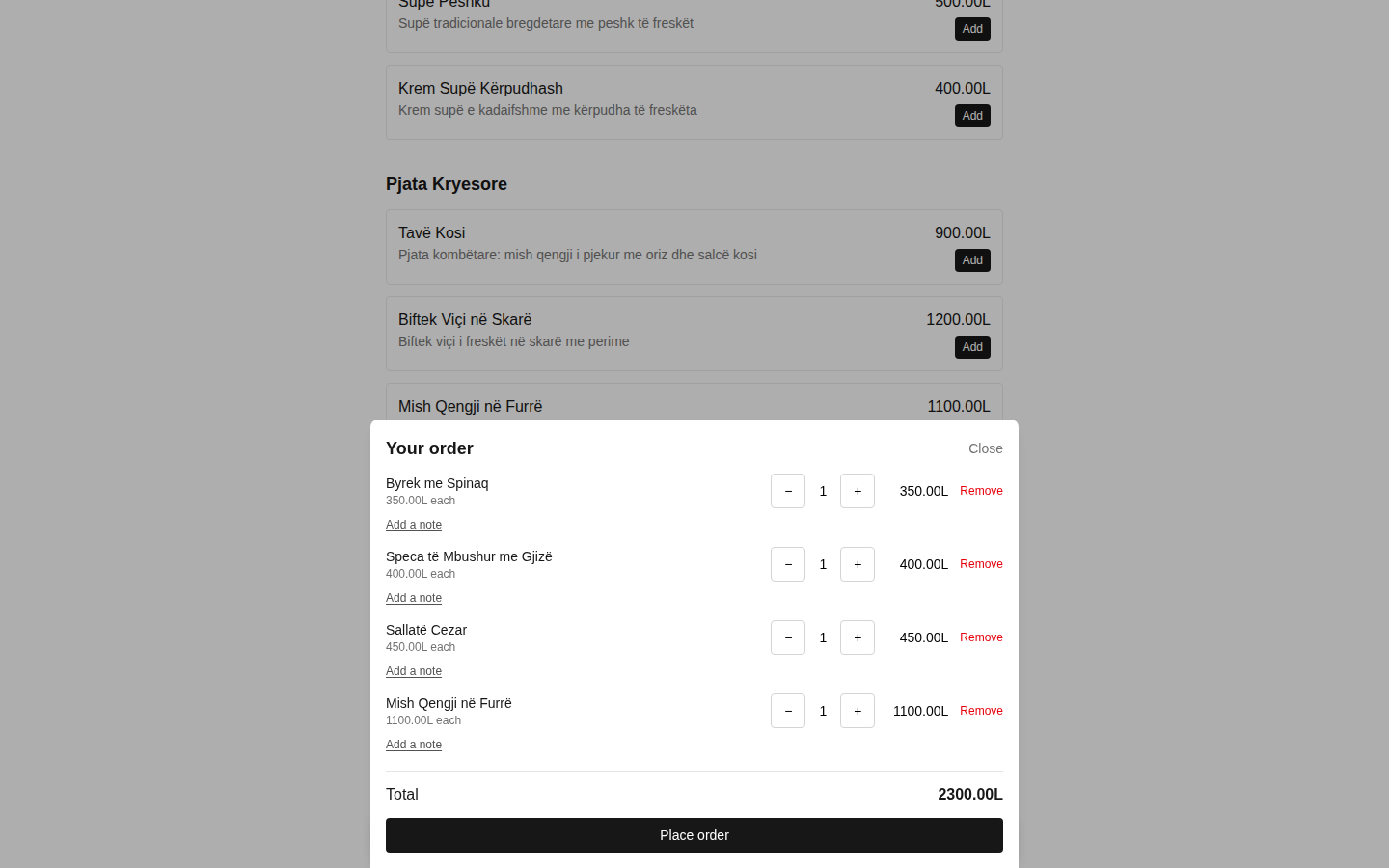
The order sends itself, straight from the table
- Every table has its own QR code — customers order directly, no app and no waiting for a waiter.
- You can also turn on "call the waiter" mode, where customers browse the menu but staff take the order.
- Orders are grouped by course (drinks, starters, mains) — the kitchen works one course at a time, not everything at once.
- Self-service ordering with no table: customers get a 4-digit payment code and an order number for pickup at the counter.
- A public TV screen shows "Preparing" and "Ready for pickup" numbers, with a sound alert when an order is ready.
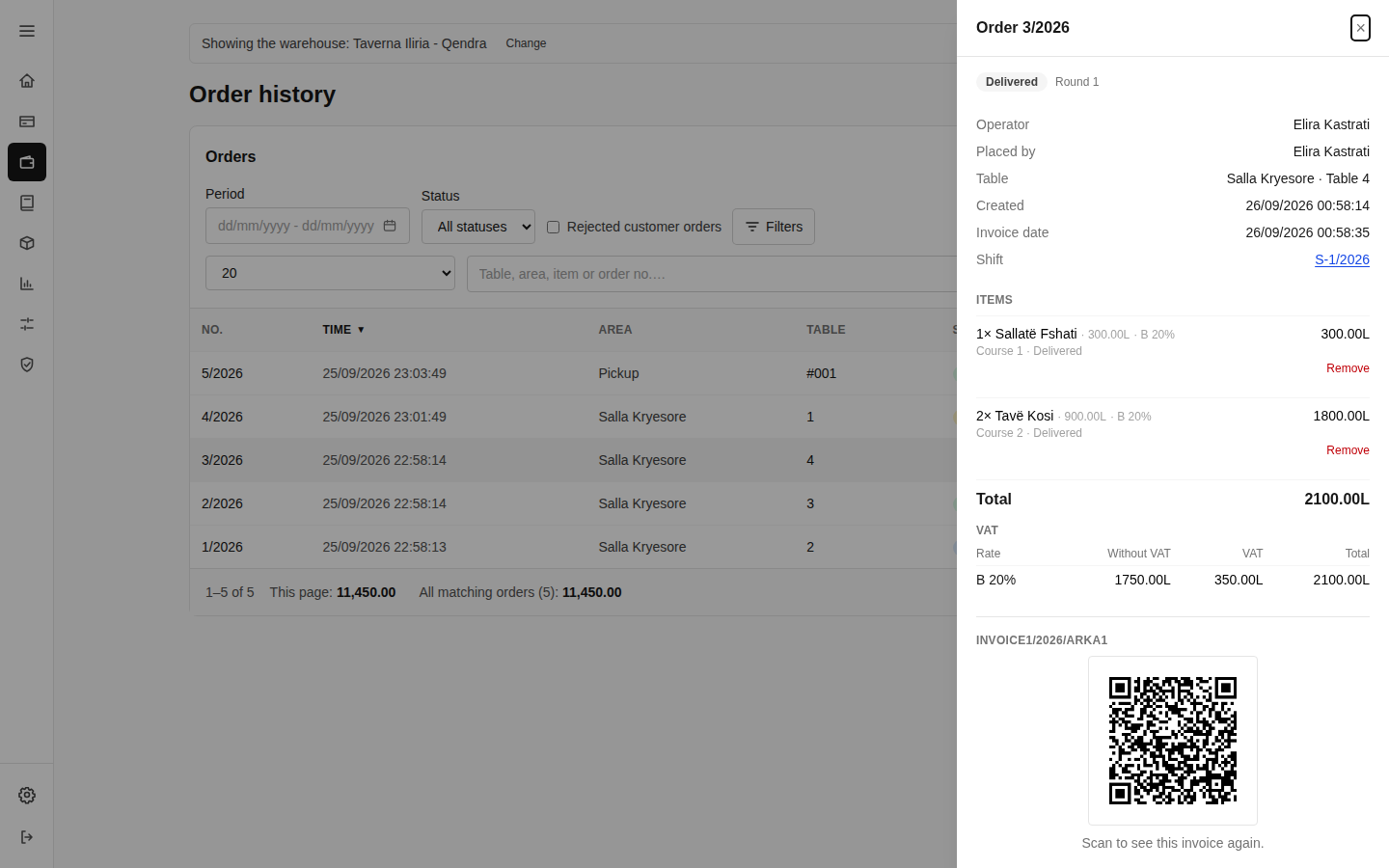
- Every closed order gets a public invoice page with a QR code — customers save or print it as proof of purchase.
- Table reservations: set time slots, hold tables, and turn a reservation into an active table with one click.
Floor & waiters
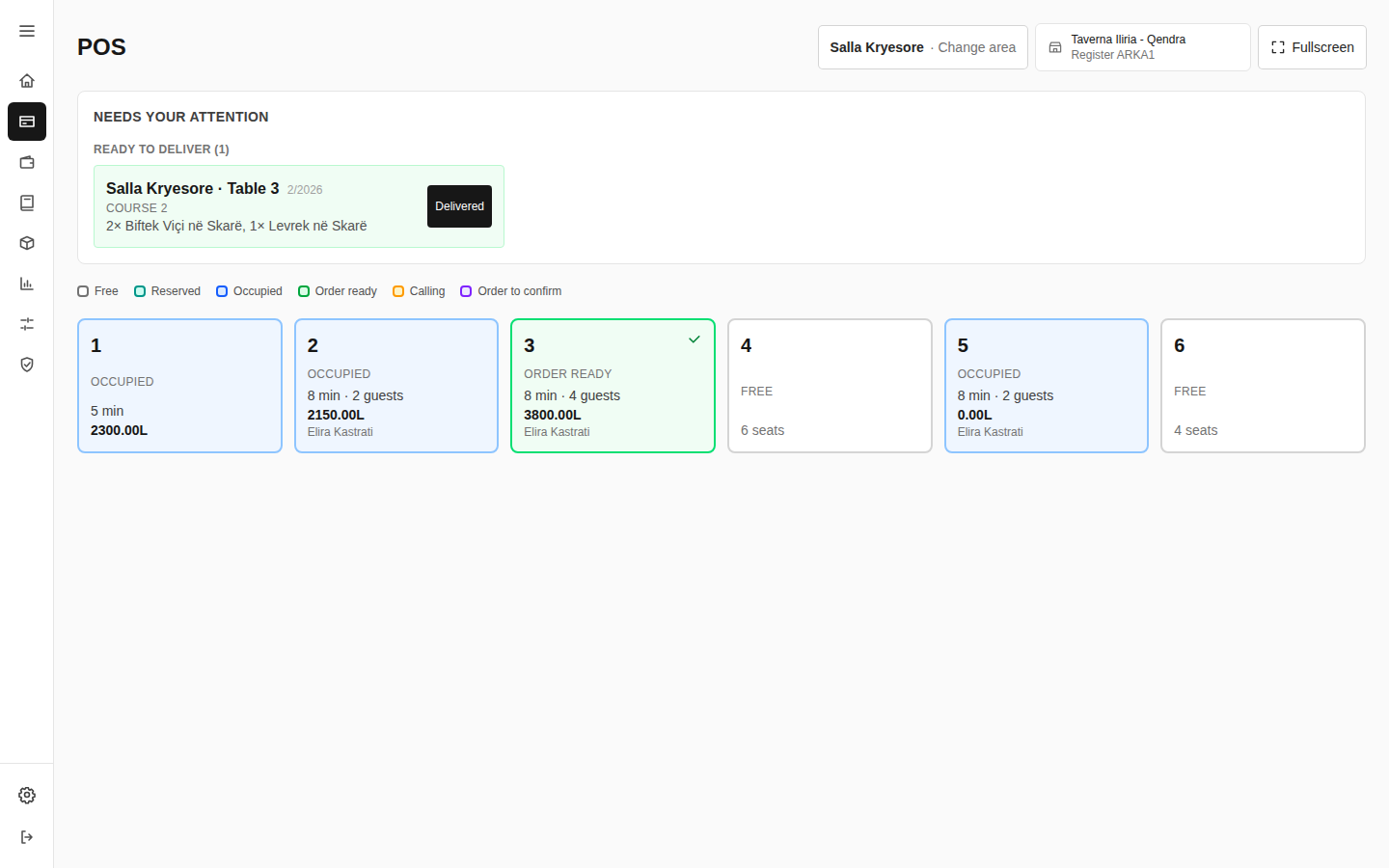
The whole floor, in one view
- A floor map or table list, colour-coded by state: free, occupied, ready for pickup, or calling a waiter.
- A "needs your attention" panel collects everything you need to act on in one screen — orders to accept, calls to answer, food ready to deliver.
- A table belongs to the waiter who opens it — everyone else sees it as "occupied," avoiding clashes among staff during busy hours.
- Move or merge tables in a few clicks, when a party changes seats or joins another group.
- A "sold out" list — any staff member can mark a dish as finished, synced instantly to every device.
- A floor plan editor: place tables by drag-and-drop on your own layout, organized by area (terrace, dining room, bar).
Kitchen
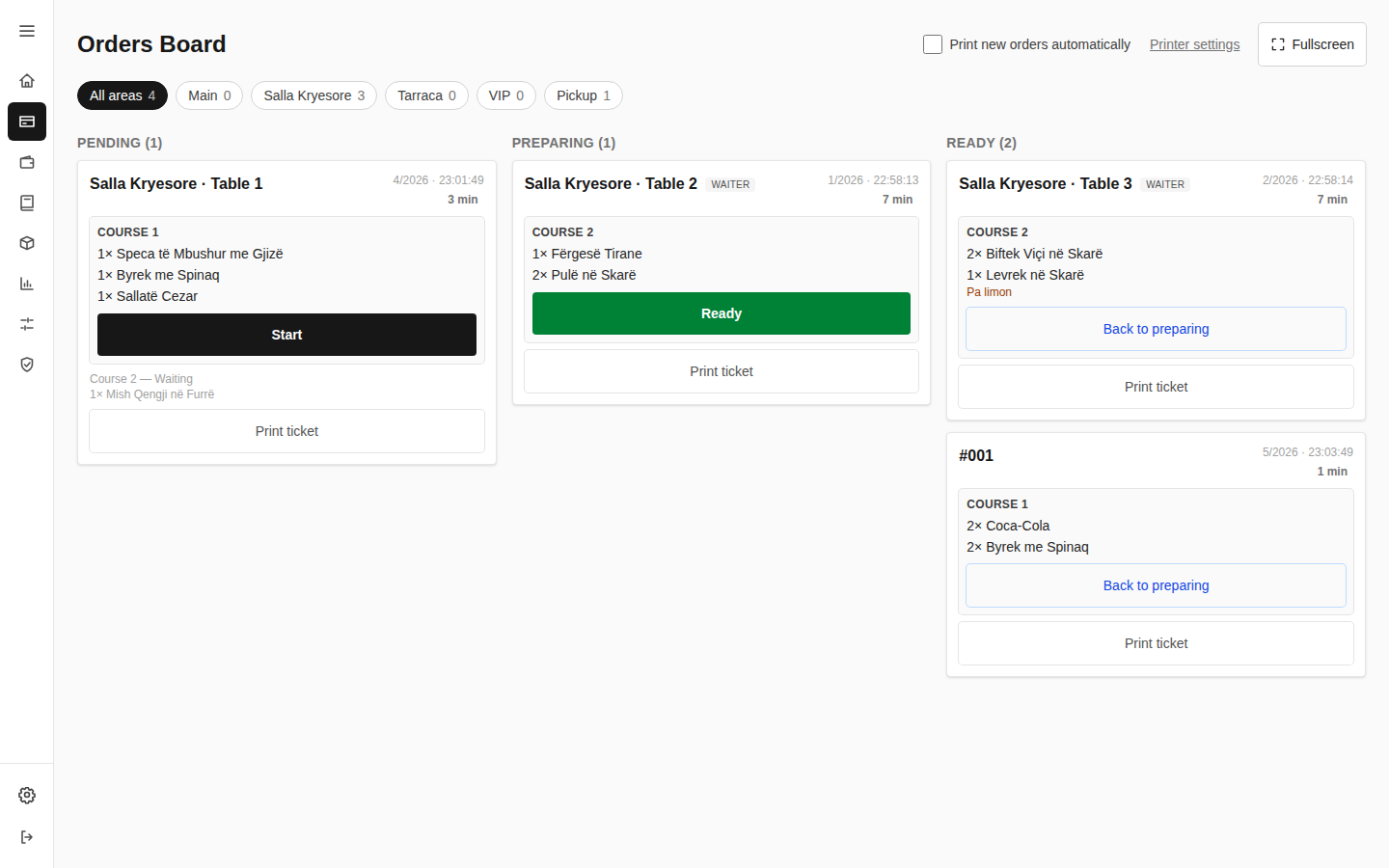
The kitchen sees orders in real time
- The kitchen board updates instantly — no refresh — with Pending, Preparing and Ready columns.
- Orders arrive course by course: drinks first, then starters, and so on — not all at once.
- Notes on individual items ("no onion," etc.) show up directly on the kitchen ticket.
- With multiple stations (kitchen, bar, pizza oven), each one sees only its own work.
- Tickets print automatically — on a terminal printer or over Bluetooth from a phone, no print dialog.
- Any staff member can log waste or spoilage, without needing administrator access.
Inventory & purchasing
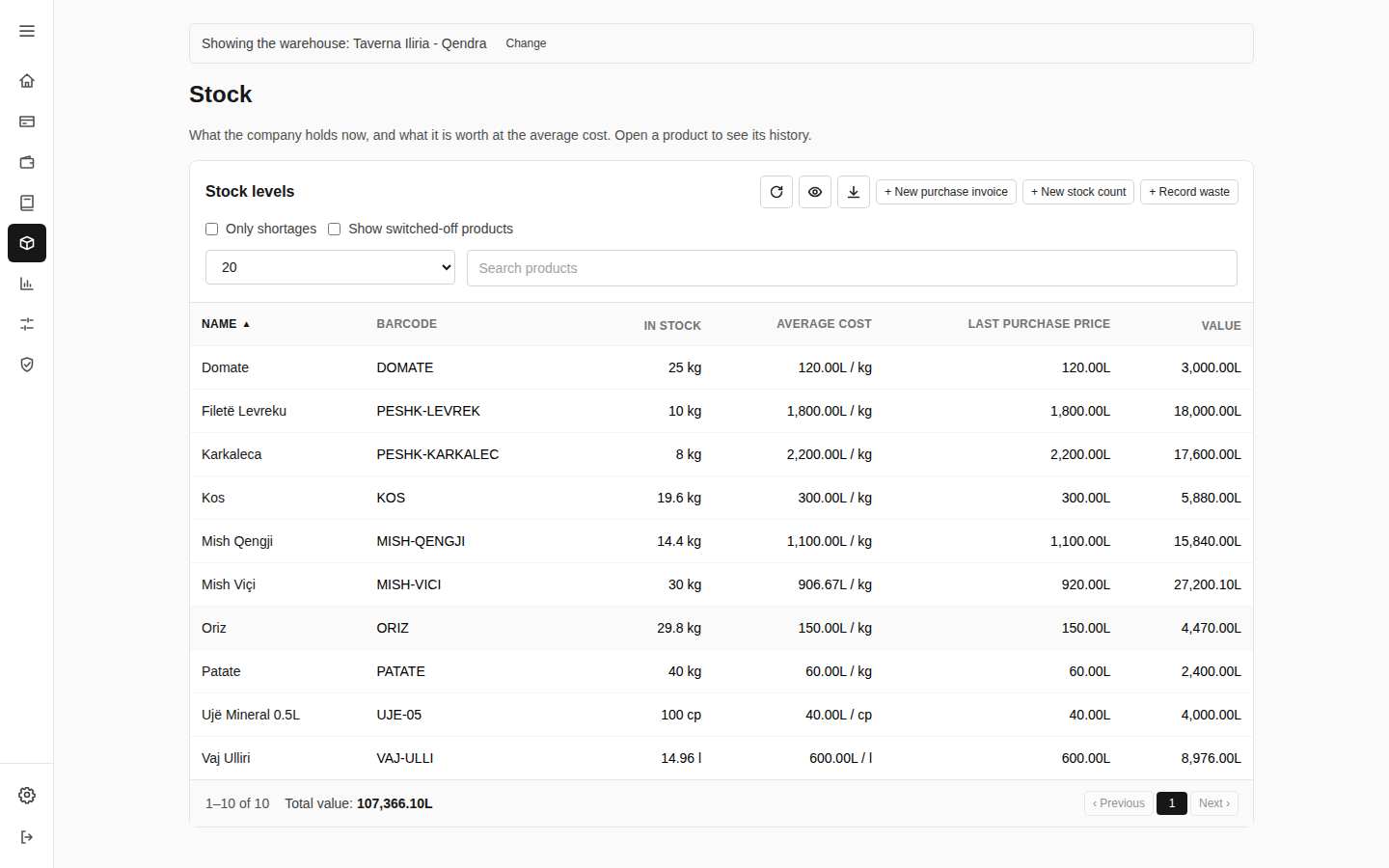
Stock moves on its own, with every order
- Products are kept separate from menu items — a dish links to its own recipe and deducts stock automatically when it sells.
- Units of measure (piece, kilogram, liter) with custom conversions — buy by the case, consume by the gram.
- Purchase invoices are entered by hand or imported from Excel, with a weighted-average cost that updates itself.
- Every stock movement — purchase, sale, waste, transfer — stays an immutable, point-in-time-reversible ledger.
- Transfers between warehouses print as accompanying slips, with the carrier's details.
- Two reports ready for Excel export: the product card and the stock position on a given date.
No batch or expiry-date tracking yet — see the full roadmap in the Knowledge base.
Invoicing, VAT & the till
Every order becomes an accurate invoice, automatically
- Yearly invoice numbering, assigned automatically — no duplicate or missing numbers.
- Six configurable VAT levels, assigned automatically per product and itemized on the invoice — a ready foundation for e-tax requirements.
- Every cash register has its own code, counter and cash limit, with a warning as it nears the limit.
- Every staff member has their own balance — credited as they deliver or close an order.
- Closing a shift produces a printable report and automatically hands the balance over to the administrator.
- Documents (invoices, kitchen tickets, reports) are customized per company, no developer needed.
Multiple branches, one platform
One restaurant or a whole chain — the same system
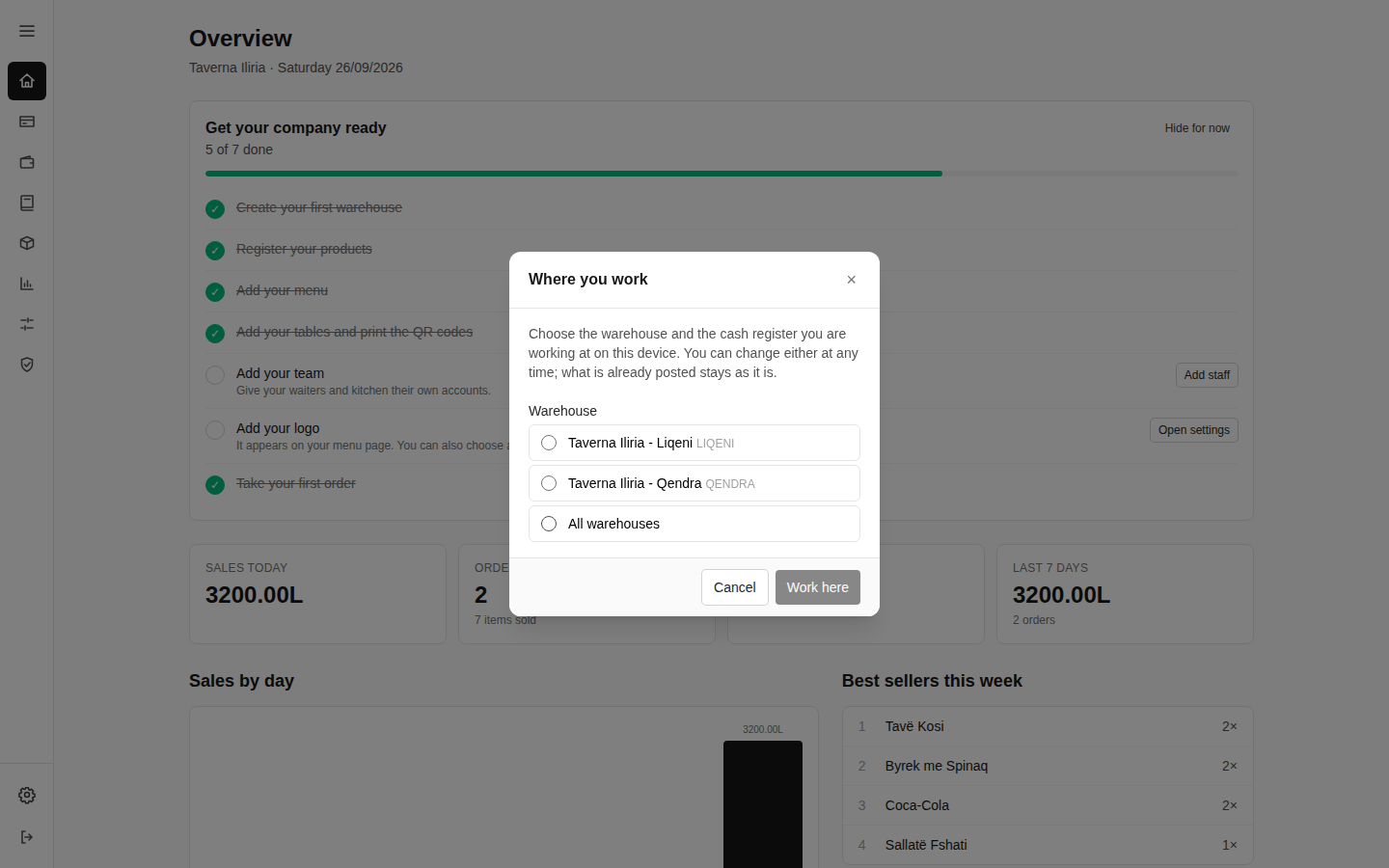
- A company can have several warehouses/branches, each with its own tables, menu, staff and stock.
- Staff with access to multiple branches pick and switch their workplace right from the app.
- Deleting setup data (categories, products, tables) is always reversible — financial records are never deleted, except by a platform administrator.
- The platform administrator manages every company, the platform's languages and currencies, and file storage for each.
Reporting & oversight
Every number accounted for, every action logged
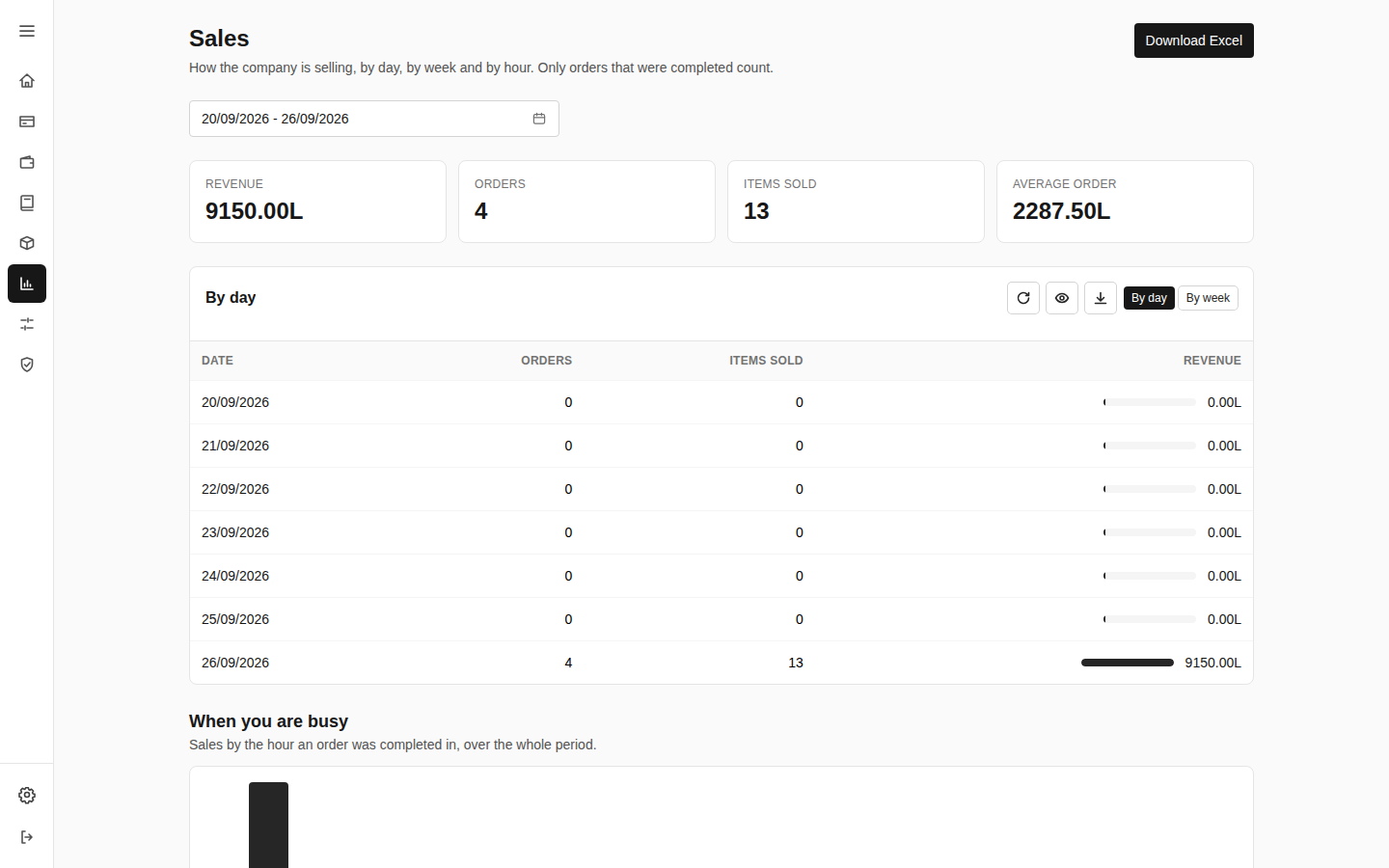
- Three sales reports: sales, items sold, and waiters — each exportable to Excel.
- Order history with search and filters — by number, table, item, status or date.
- An audit log records every action that touches money, prices or access — visible only to administrators.
- Almost every list in the system — from purchases to balances — exports to Excel or PDF, with active filters applied.
Staff & roles
- Three roles: platform admin, company admin and staff — enforced the same way on screen and on the server.
- An administrator can't delete or demote themselves — a company always keeps at least one administrator.
- Staff with an active balance can't be deleted, so the money trail is never lost.
Languages & currency
- Interface language (Albanian by default, plus English and Italian) — extendable by the platform administrator, no new release needed.
- The menu is translated separately, into whichever languages each company enables.
- Prices can also be shown in another currency for customers, with an exchange rate updated daily.
Built to hold up every shift
- Real-time updates, no screen refresh needed
- Every money operation happens exactly once, even with several devices acting at the same time
- Encrypted staff sessions
- Role-based access, enforced on every screen and on the server
- Every sensitive action is logged and auditable
- Regular backups, tested with real restores
See it running in your restaurant
Tell us about your restaurant and we'll walk you through how it fits your floor, kitchen and till.
Contact us