

Creating and organizing menu categories and dishes
Menu Construction in BletaGo (/admin/menu)
The digital menu is organized into two levels: Categories (e.g. Wood-Fired Pizza) and Menu Items (e.g. Margherita Pizza with Mozzarella Di Bufala).
1. Creating a New Category:
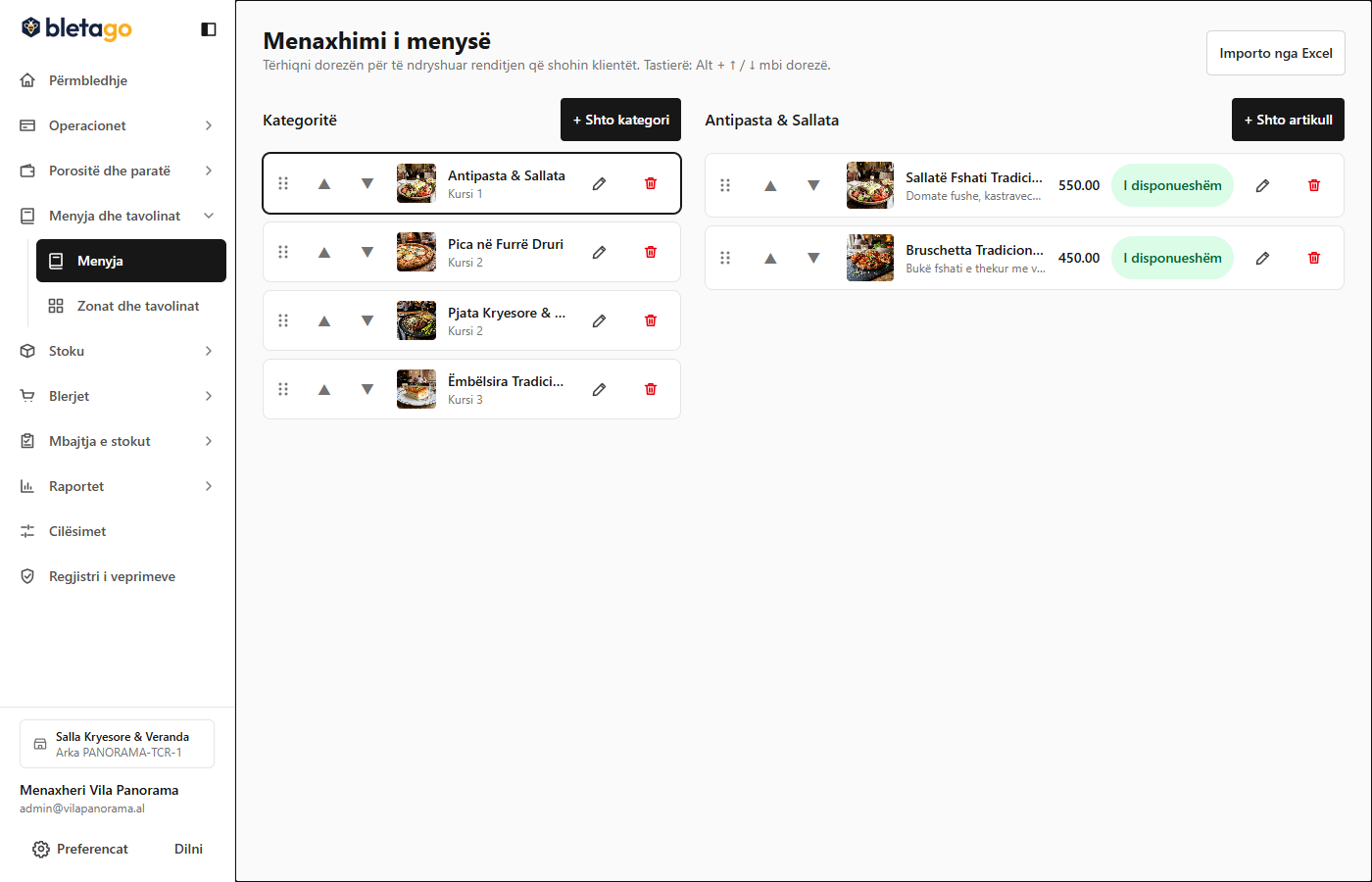
- Go to Menu -> Categories (
/admin/menu/categories). - Press the Add Category button.
- Fill in the fields:
- Category Name: Enter the name in Albanian (e.g. Main Dishes & Grilled Dishes).
- Course Number: Determine the order of preparation in the kitchen:
1= Appetizers / Drinks2= Main Course3= Dessert
- Kitchen Station: Choose where this category is prepared (e.g. Grill).
- Press Save.
- You can change the order of the categories by dragging them up/down with the mouse (Drag & Drop).
2. Creating a Dish (Menu Item):
- On the Menu Items tab, press the Add Item button.
- Select the category to which it belongs.
- Set:
- Name: Official trade name (e.g. Grilled Beef Steak with Baked Potatoes).
- Description: Preparation details, garnishes and accompanying sauces.
- Base Price: Price in the base currency (e.g.
1600.00ALL). - Availability: Choose whether the dish is active for sale immediately.
- Press Create Item. The system automatically creates the corresponding product card in the inventory!