

Opening and closing the waiter's shift
Hall Staff Shift Cycle (/admin/shifts)
Each waiter and cashier operates within a Work Shift. The shift tracks all financial transactions performed by that employee from the moment the first order is taken to the time the money is delivered.
Opening of the Tournament:
- The shift opens automatically as soon as the waiter logs in to the system and performs the first action at the POS (opens a table or takes an order).
- No need for complicated morning formulas.
Daytime Monitoring:
- The waiter can see his Personal Balance at any time in his profile in the right corner:
- The amount of cash collected from closed tables.
- Payments made by bank card.
Closing of the Turn by the Manager:
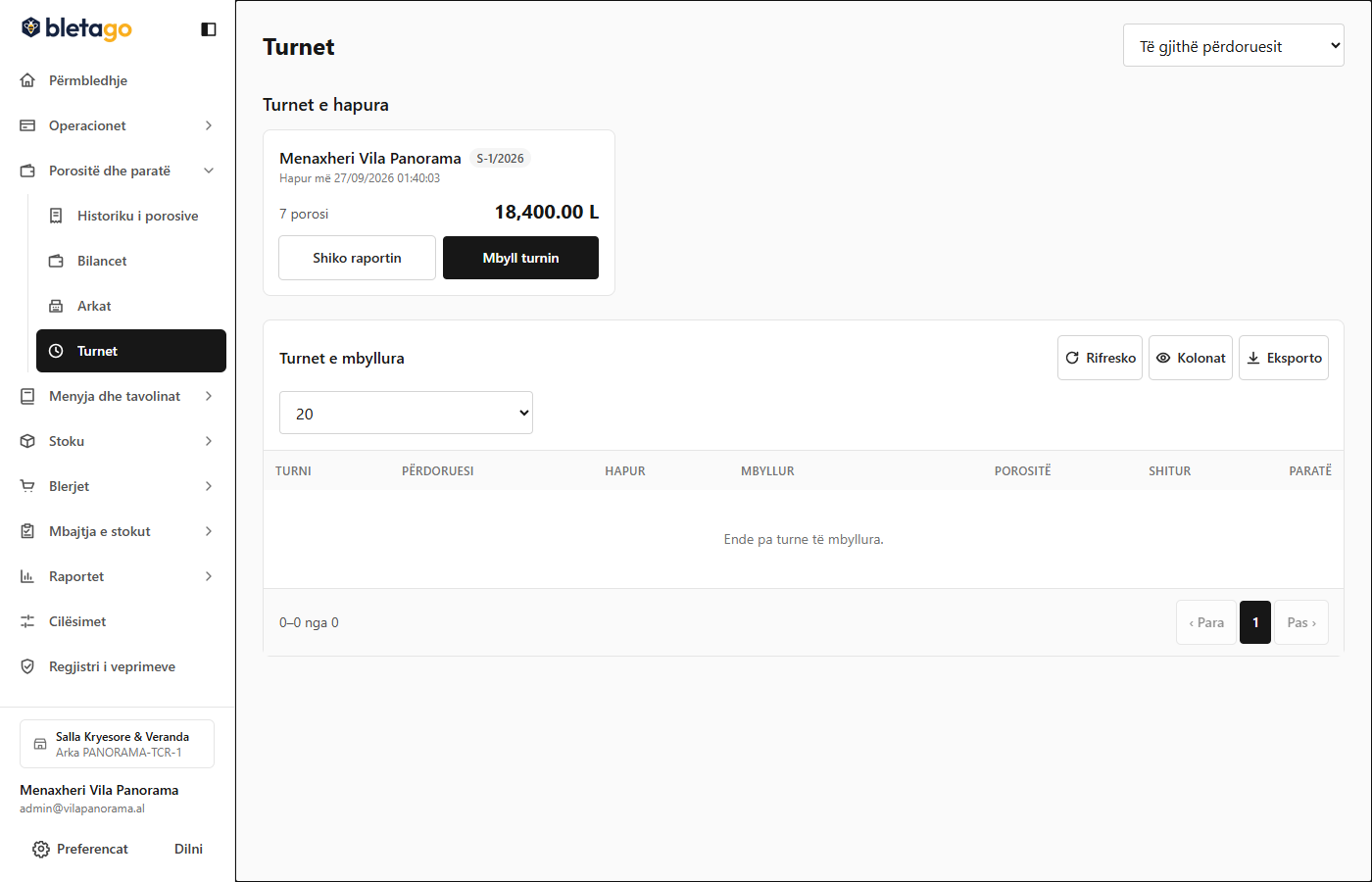
At the end of the day or at the change of shifts, the manager follows this procedure:
- Go to Tournaments (
/admin/shifts). - Find the open waiter's shift (e.g. Ardit's Shift).
- Press the Close shift button.
- The system requires Physical Counting of Money:
- The manager counts the money in the waiter's hand and writes the exact amount in the field.
- Automatic Comparison:
- The system compares the counted amount with the amount the system expected from sales.
- If there is a difference (surplus or deficit), the system requires a mandatory explanatory note.
- Press Finish shift closing. The shift closing report with timestamp is generated.