

Using the kitchen board in real time
Kitchen Display System — KDS (/admin/kitchen)
The kitchen board replaces noisy printers and paper clips with a smart touchscreen placed in the cooking area.
Elements of the Order Card:
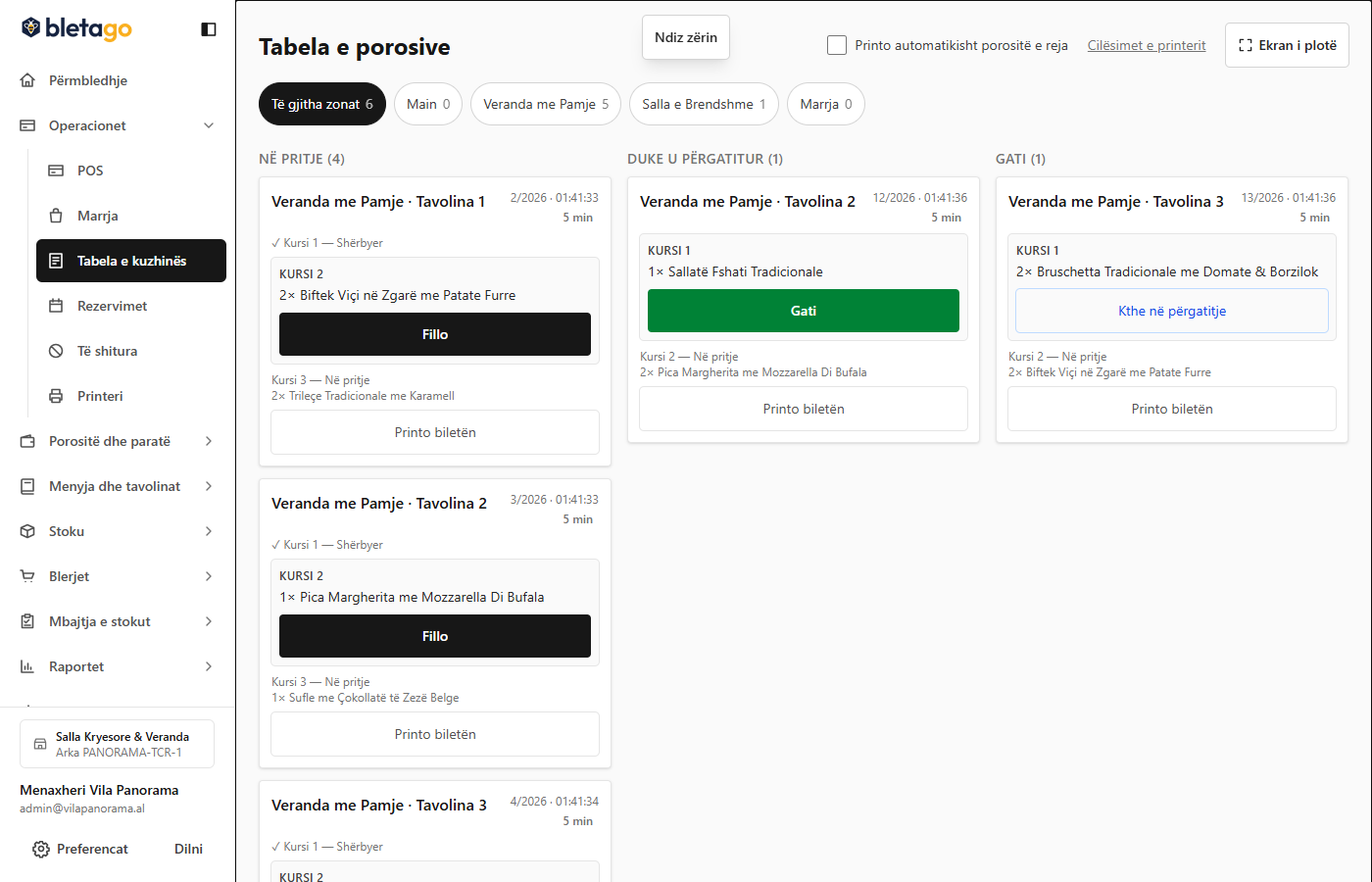
Each new order appears as a separate card containing:
- Title: Table number (e.g. Table 1 — Veranda) or counter pick-up number.
- Time: Minutes that have passed since the order was sent.
- Waiter Name: The employee responsible for taking the order.
- Dish List: Full name and quantity highlighted in large numbers.
- Yellow Notes: Customer special requests (e.g. "Medium-rare steak, no onion salad").
Preparation Steps by the Chef:
- New Order Signal:
- When the order arrives, the screen emits an acoustic signal and displays a temporary notification at the top.
- Start Cooking (Start):
- The chef presses the blue Start button.
- The card is made with an active frame and the waiter in the hall knows that the dish is being cooked.
- Completion (Done):
- Once the food is placed at the counter leading to the hall, the chef presses the green Ready button.
- The card moves to the "Ready to Serve" column.
- The waiter's cashier is immediately notified to remove the plate!
- Optional Printing:
- If you want a physical ticket to place on the plate, press the printer icon on the card.
Warning: If an order goes over 20 minutes without being marked ready, the card turns a warning red with the label Delayed to give it priority.